





Unlocking Performance: The Ninebot MAX G2 Controller
The Ninebot MAX G2 Controller is engineered for top-tier efficiency and maximum enjoyment in urban commuting. If you’re looking to enhance your Ninebot experience, understanding this product is paramount. Let’s explore its features, installation, compatibility, pros and cons, and much more in detail.
1. What is the Ninebot MAX G2 Controller?
The Ninebot MAX G2 Controller is a pivotal component of the Ninebot MAX G2 series of kick scooters. This controller is responsible for managing various functions such as battery optimization, speed control, and connectivity with your smartphone application. This device ensures your ride remains seamless and exciting.
2. Key Features of the Ninebot MAX G2 Controller
2.1 Compatibility Matters
The MAX G2 Controller is specifically designed for the Ninebot MAX G2 G65 model. It is crucial to note that it is not compatible with other models like G30, G30P, or G30LP. Make sure to verify your scooter model before purchasing to avoid any issues.
2.2 Optimal App Functionality
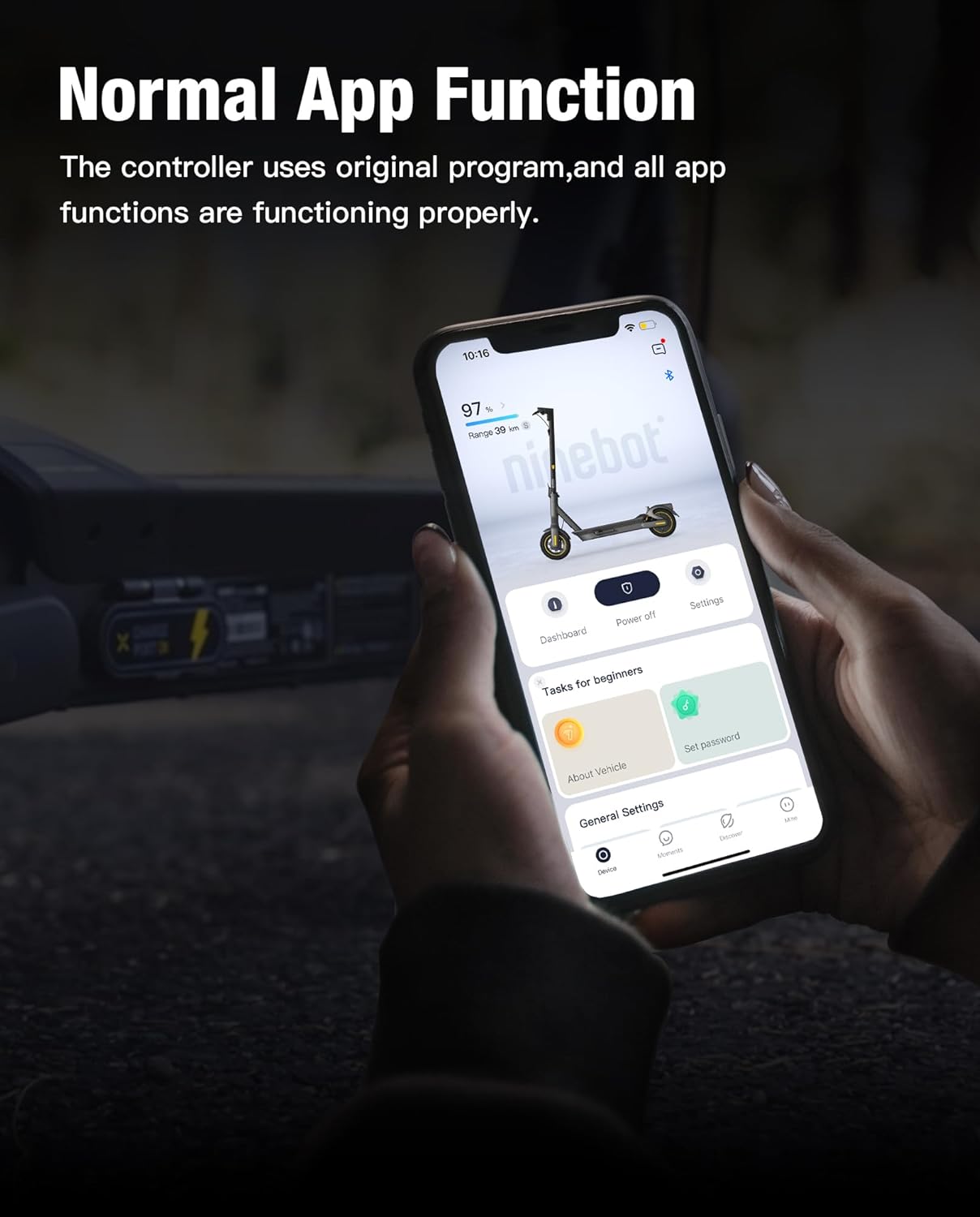
When it comes to application integration, the MAX G2 Controller excels. It employs the original program, ensuring all features within the app function seamlessly. There is no need for flashing or additional configurations—just download the app and connect!
2.3 Advanced Heat Dissipation
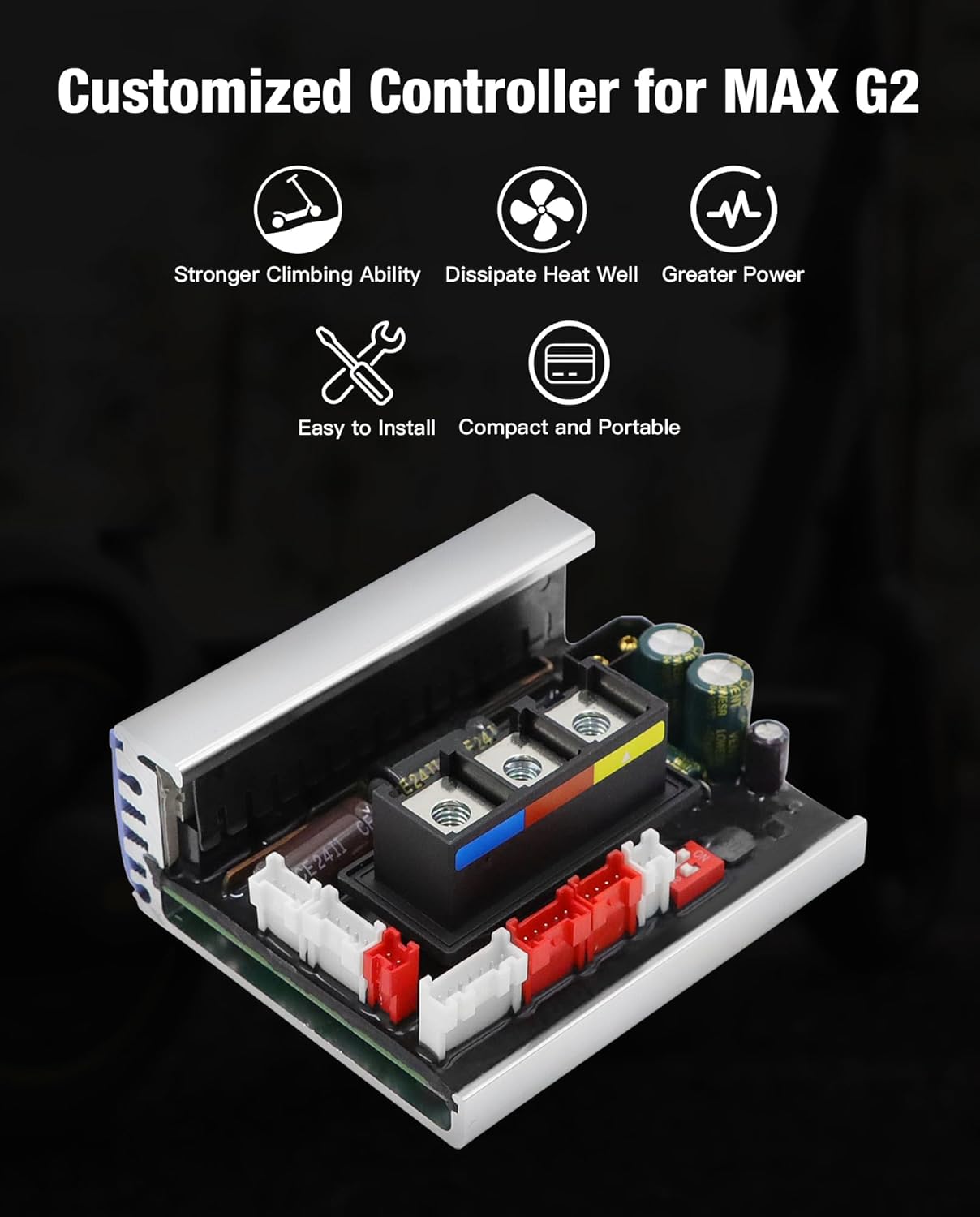
One major aspect that sets this controller apart is its superior heat dissipation. Integrated with a metal heat sink and silicone materials, it dramatically improves efficiency, thereby reducing the risk of thermal overload—essential for maintaining performance during extended rides.
2.4 User-Friendly Installation
Worried about installation? The MAX G2 Controller boasts a user-friendly design that allows for easy identification of ports. This smart setup facilitates hassle-free installation, making it accessible even for those who lack technical skills.
3. How to Connect the App to Your MAX G2 Controller?
3.1 Step-by-Step Guide
- Download the Ninebot App: Start by downloading the app from the Google Play Store or the Apple App Store.
- Power On: Turn on your Ninebot MAX G2 scooter.
- Enable Bluetooth: Go to your smartphone’s settings and enable Bluetooth.
- Connect: Open the Ninebot app, follow the prompts to search for your scooter, and tap to connect.
- Enjoy: Once connected, explore the app’s features!
3.2 Troubleshooting Connection Issues
If you encounter connectivity issues, ensure your scooter is powered, the Bluetooth on your phone is active, and you’re within range. Restarting both the app and your smartphone may also resolve any glitches.
4. Why Upgrade to the MAX G2 Controller?
Upgrading to the MAX G2 Controller can significantly enhance your riding experience. By leveraging its advanced features, riders can expect improved performance, better battery management, and superior app functionalities. This makes the upgrade not just functional but necessary for a better ride.
5. Pros and Cons of the Ninebot MAX G2 Controller
5.1 Pros
- Enhanced Performance: Provides better battery management and speed control.
- Effective Heat Dissipation: Reduces the risk of thermal overload during extensive use.
- User-Friendly: Easy installation and app connectivity make it ideal for users of all skill levels.
- Durable Design: Built with quality materials to withstand various weather conditions.
5.2 Cons
- Model Limited: Compatibility is limited to specific Ninebot models, excluding others.
- Initial Costs: Upgrading might require a financial investment, though it pays off in performance.
6. Frequently Asked Questions (FAQs)
6.1 Can I install the MAX G2 Controller on other Ninebot models?
No, the MAX G2 Controller is designed specifically for the Ninebot MAX G2 G65. Using it on incompatible models may lead to malfunctions.
6.2 What happens if my controller overheats?
Thanks to its superior heat dissipation technology, overheating risks are minimal. However, if overheating occurs, stop using the scooter and let it cool down before resuming your ride.
6.3 Is customer service available for the MAX G2 Controller?
Yes, customer service is readily available. If you encounter issues, feel free to contact them for assistance.
6.4 Do I need special tools for installation?
No special tools are required. The MAX G2 Controller features easy-to-distinguish ports, allowing for straightforward installation.
6.5 How does heat dissipation improve my ride?
Effective heat dissipation protects the controller from overheating, thereby enhancing its longevity and reliability during extended rides.
7. Enhancing Your Riding Experience with Accessories
7.1 Additional Features to Consider
Investing in accessories can further improve your riding experience. Some accessories include:
- Protective Gear: Safety should always come first. Helmets, knee pads, and elbow guards are essential.
- Smartphone Mounts: Integrate your phone into the ride for easy access to navigation and music.
- Upgraded Tires: Quality tires can enhance your scooter’s performance and comfort.
8. Community Feedback on the MAX G2 Controller
8.1 User Testimonials
Many users rave about the MAX G2 Controller’s efficiency and performance. Feedback typically emphasizes its ease of installation and overall durability, making it a popular choice among Ninebot enthusiasts.
8.2 Online Reviews
Numerous reviews on platforms such as Amazon and scooter forums highlight the capabilities of the MAX G2 Controller, praising its enhanced app functionality and heat management features.
9. Making the Right Purchase: Tips and Considerations
9.1 Research and Compare
Before purchasing, it is wise to:
- Read Reviews: Look for recent user experiences to gauge satisfaction levels.
- Ask Community Questions: Engage in forums and groups to gather insight from fellow scooter users.
9.2 Price Comparison
Comparing prices across multiple retailers can help you find the best deal. Don’t forget to check for warranties and return policies, as these can vary.
10. Conclusion
Investing in the Ninebot MAX G2 Controller is a smart decision for enhancing your riding experience. With features like optimal app functionality, efficient heat dissipation, and easy installation, it’s tailored for both seasoned riders and newcomers alike. Take your Ninebot MAX G2 G65 scooter to the next level by upgrading to this indispensable accessory. Enjoy your ride and stay safe!
5 Additional FAQs
Are there any maintenance guidelines for the MAX G2 Controller?
Yes, regularly check for loose connections and ensure the ports are clean to maintain optimal performance.
How can I ensure my scooter remains compatible with future updates?
Keep your Ninebot app updated and monitor for firmware updates related to the controller.
Can I transfer settings between different G2 Controllers?
Settings may not be transferable due to firmware differences, so it’s advisable to configure each controller individually.
Is it safe to ride in the rain with the MAX G2 Controller?
The controller is designed to resist some moisture, but it’s best to avoid riding in heavy rain to prolong its life.
Where can I find more information on scooter maintenance?
Consult the Ninebot user manual or online forums dedicated to electric scooters for maintenance tips and tricks.
Disclosure: As an Amazon Associate, I earn from qualifying purchases.

Hi, I’m rideonscoot, the author behind RideOnScoot.com. Welcome to the world of electric scooters, where your adventure begins! At RideOnScoot.com, we offer a handpicked selection of top-notch electric scooters that will transform your daily commute and leisure rides. With cutting-edge technology, impressive range, and sleek designs, our scooters not only offer convenience but also contribute to a sustainable future. Whether you’re a city commuter or an urban explorer, I have the perfect ride waiting for you. Join the electric scooter revolution today and experience the power of eco-friendly transportation firsthand.